
Scan, sign, fill in and merge documents, all on your phone.
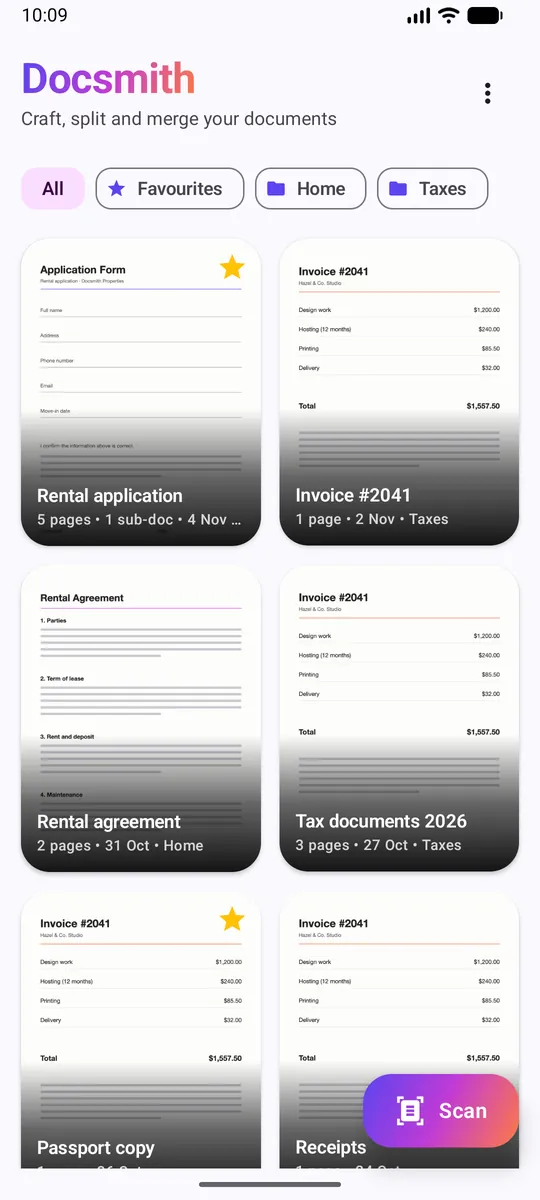
Docsmith is a free Android document app. Scan paper, sign and fill in forms, mark up pages, split and merge PDFs, then share a clean PDF in seconds.
Free with ads. One-time purchase removes ads. No account needed.
See Docsmith in action
Everything your paperwork needs
One app to turn a pile of pages into the exact documents you need.
Scan like a pro
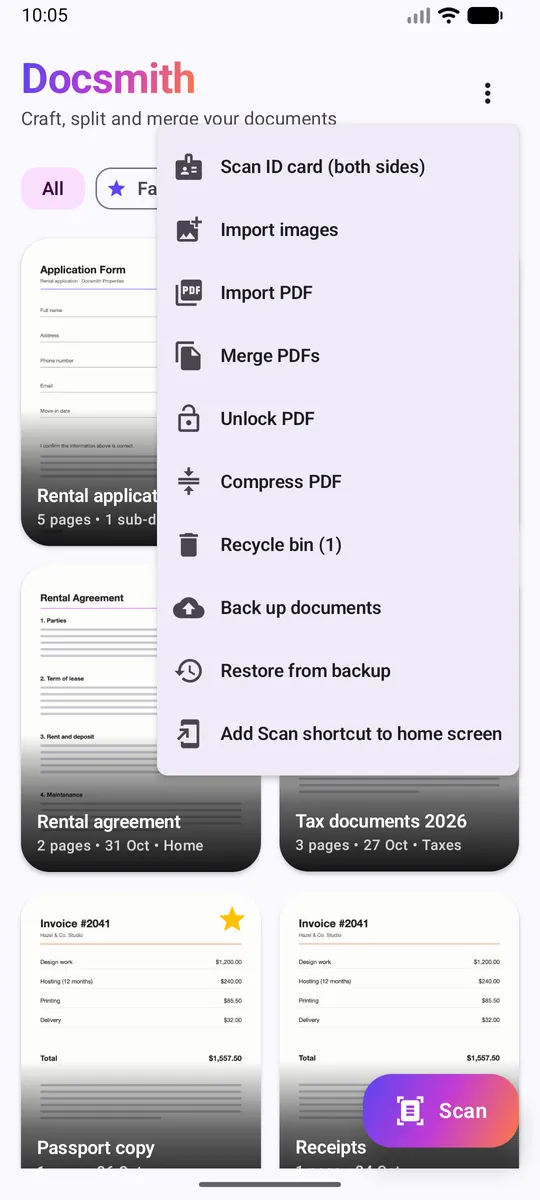
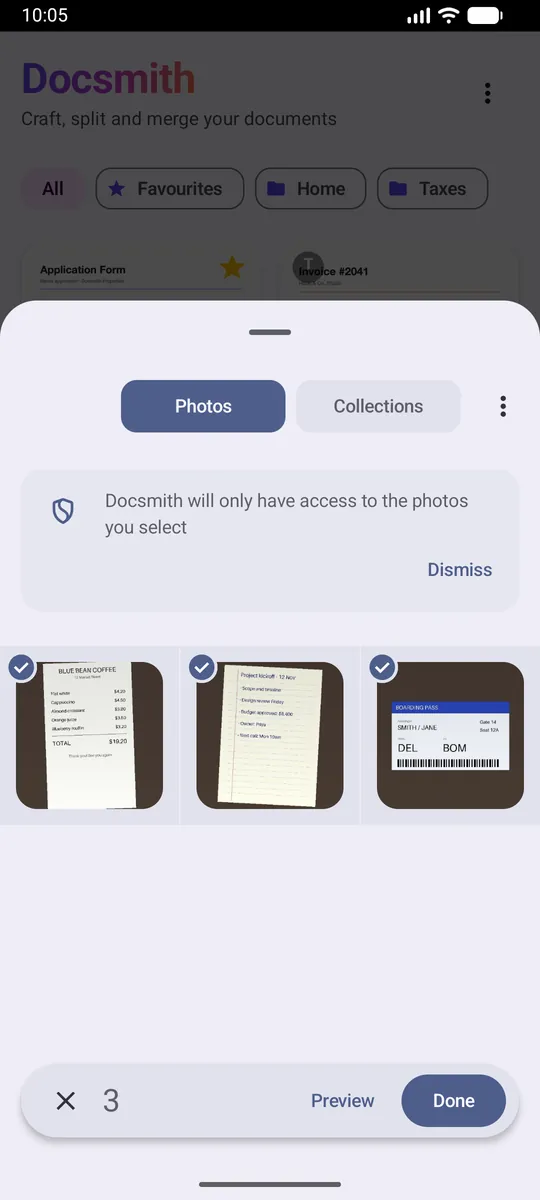
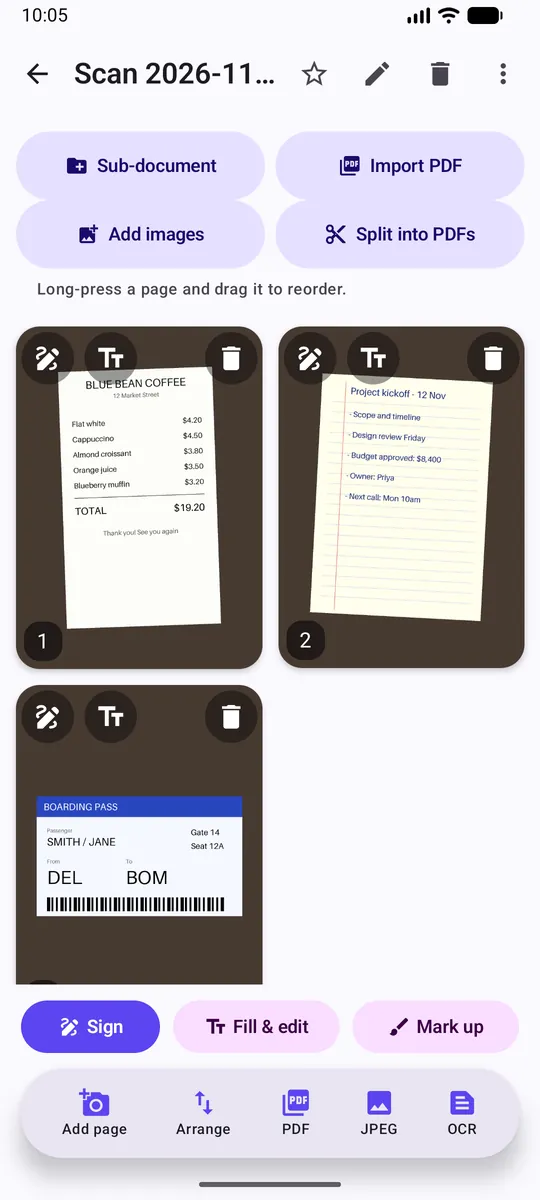
Automatic edge detection, crop and clean-up filters. Switch between Color, Gray and Black & White, or tap Auto enhance. Need to scan an ID? Scan both sides and Docsmith puts them on one page. Already have photos? Import several at once from your gallery and they become pages.
Sign and fill in, no printer needed
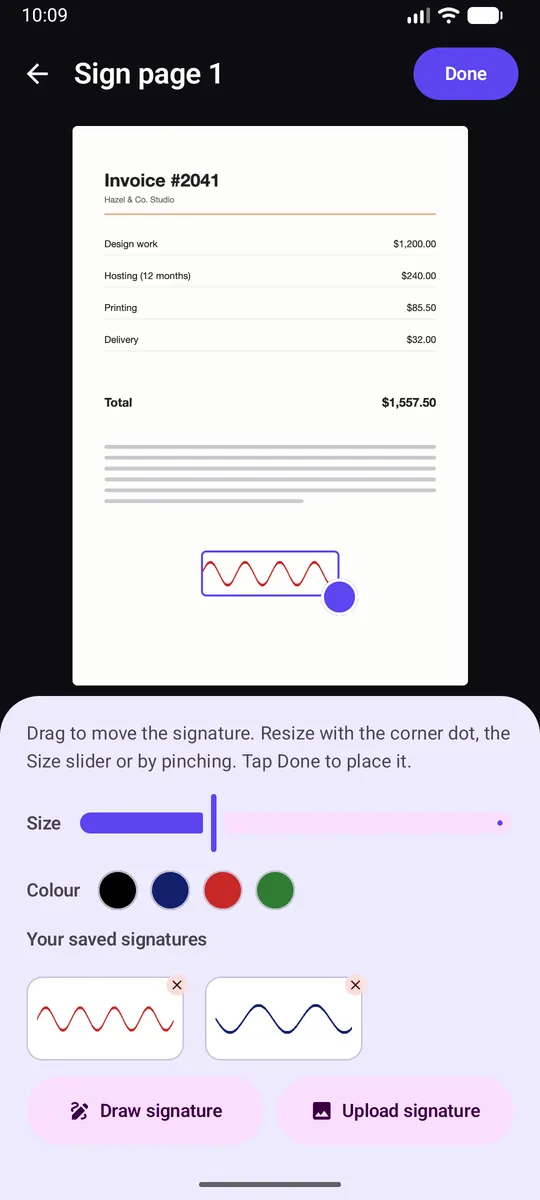
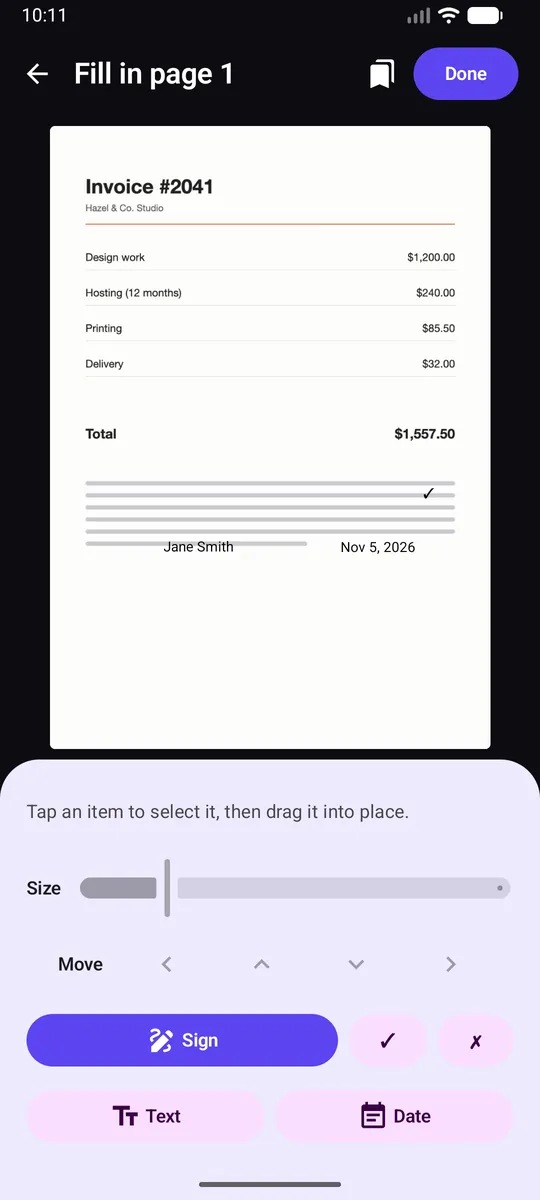
Draw your signature with a finger or upload a picture of it. Keep up to six saved signatures, pick the ink colour, and drag it into place. Add text, today's date, ticks and crosses to forms, then save the layout as a template for next time.
Mark up pages
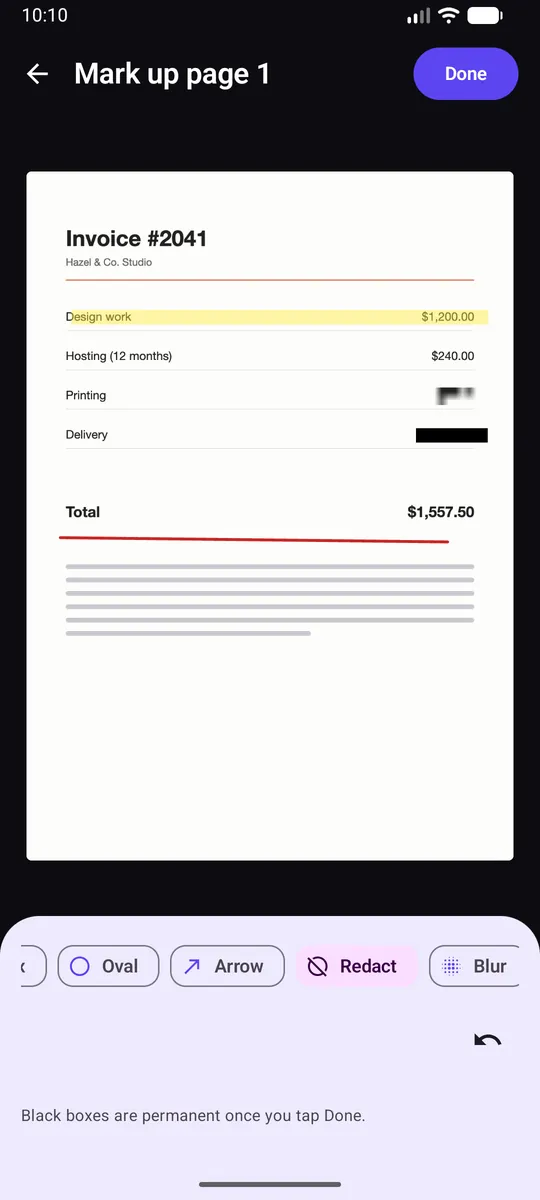
Highlight, draw, add boxes, ovals and arrows. Cover sensitive details with a permanent redact or blur before you share.
Smaller PDFs, your way
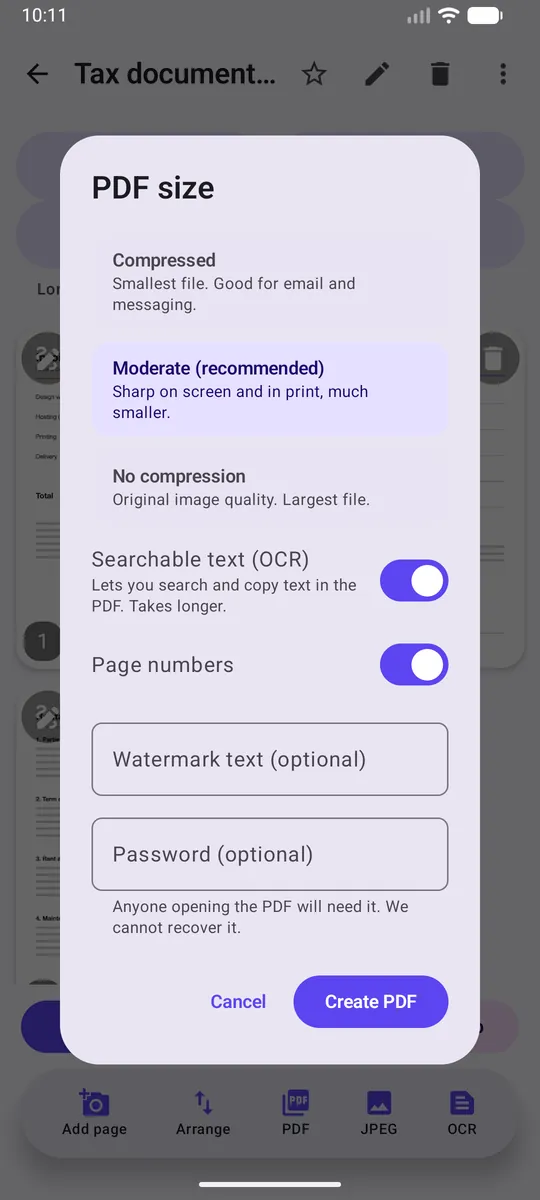
Choose Compressed, Moderate or No compression. Add page numbers or a watermark. Make the PDF searchable. Protect it with a password. Compress any PDF you already have.
Open and unlock protected PDFs
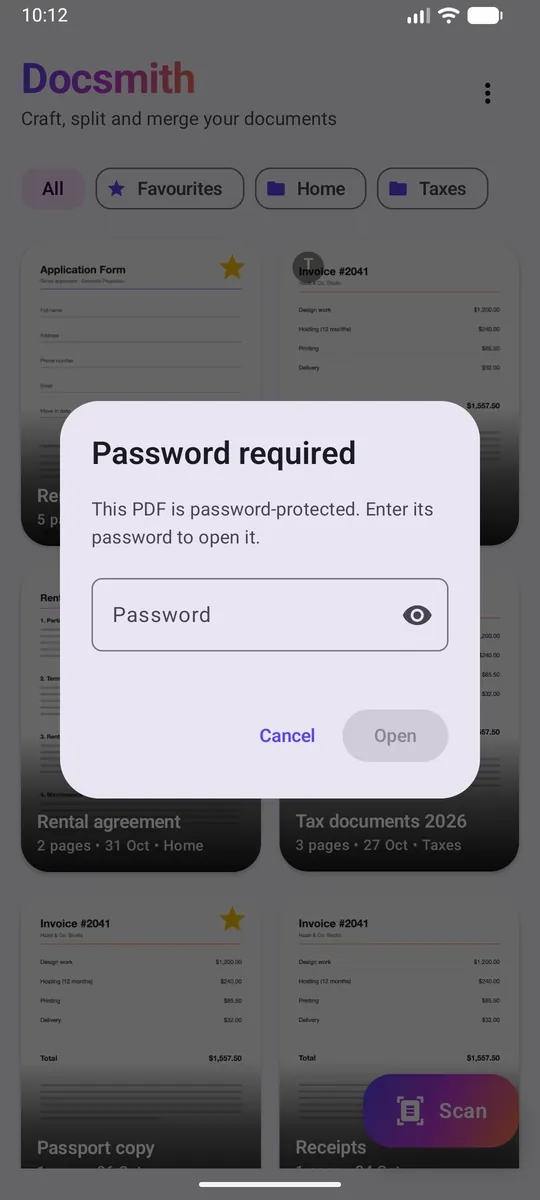
Got a password-protected PDF? Enter the password to open it, edit it, or save an unlocked copy.
Pull out the text
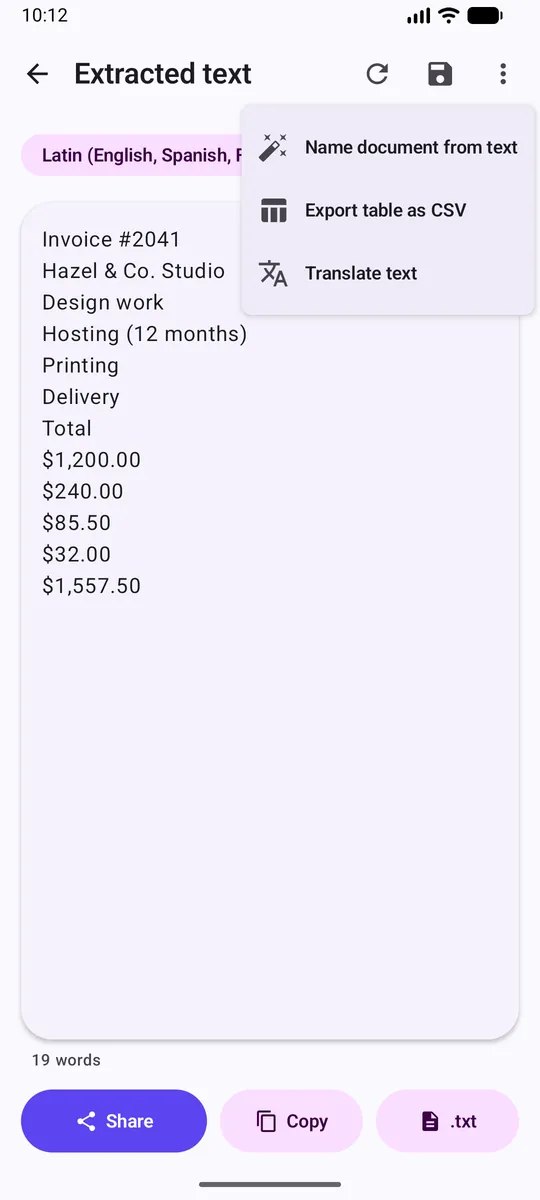
On-device text recognition for English, Spanish, French and Hindi. Copy it, share it, translate it into 14 languages, or turn a scanned table into a CSV you can open in Excel.
Stay organised
Folders, tags and favourites. Search by name or by the text inside your scans. A recycle bin saves you from mistakes, and one-file backup keeps your documents safe.
And more
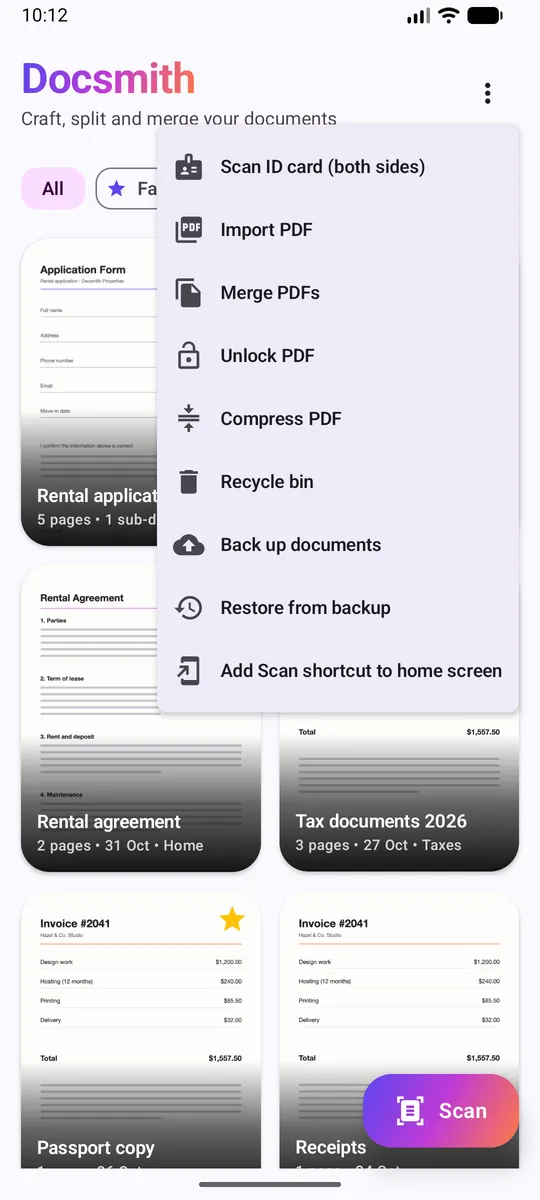
- Import photos
- Merge PDFs
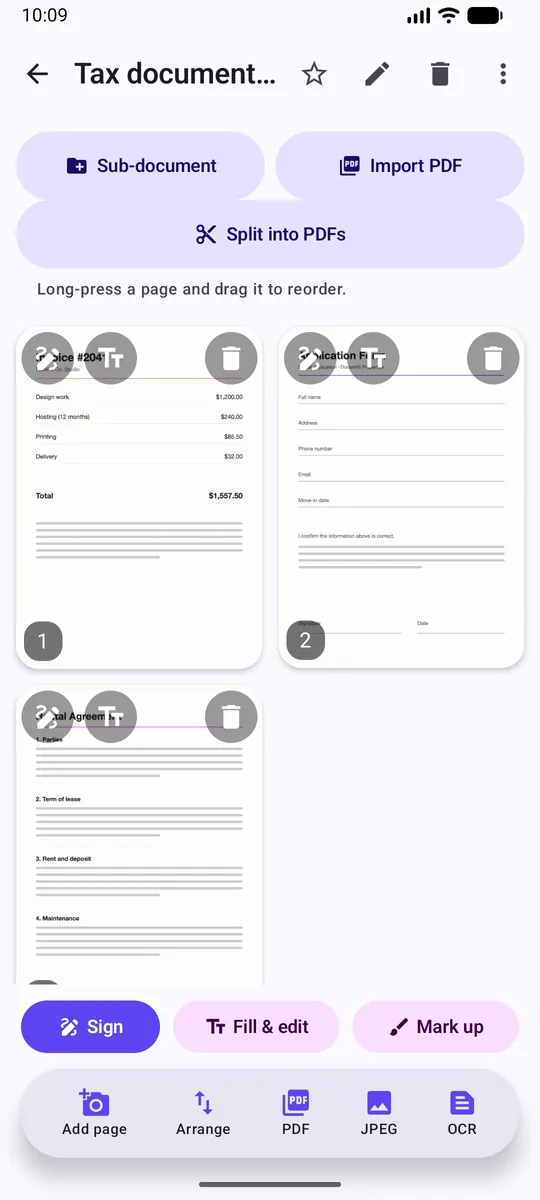
- Split PDFs
- Rearrange pages by dragging
- Sub-documents
- Share as PDF or JPEG
- Home-screen shortcuts
- Open with Docsmith
- Light and dark themes
- English, Hindi, Spanish and French
Three steps
Scan or import
Use the camera, import photos from your gallery, or import a PDF.
Edit
Sign, fill in, mark up, rearrange, split or merge.
Share
Send a clean PDF, print it, or save it.
Your documents are yours.
Docsmith has no account and no cloud. Scans, text and signatures stay on your device, and text recognition runs on your phone. Translation uses language files downloaded once from Google; your text is not uploaded. Read the full privacy policy.
Free to use. Ad-free if you like.
Docsmith is free and shows ads. A one-time purchase removes all ads for good. There is no subscription.
Some extras (searchable PDFs, passwords, translation, table export) are free; free users watch one short video to use them, or remove ads to skip the videos.
Questions, answered
Is Docsmith free?
Yes. It shows ads, and a one-time "Remove ads" purchase takes them away.
Do I need an account?
No.
Is there an iPhone version?
Not at the moment. Docsmith is for Android.
Where are my documents stored?
On your phone, in the app's private storage. Use Back up to save a copy to a file.
Can I open a password-protected PDF?
Yes. Docsmith asks for the password. Without it the file cannot be opened.
What if I forget the password I set?
It cannot be recovered. Keep it somewhere safe.
Which languages does text recognition support?
English, Spanish, French and Hindi.
Does translation need internet?
The first time you use a language it downloads once; after that it works offline.
Are redact and blur permanent?
Yes. Once you tap Done the page is rewritten and the original details cannot be recovered.
Which Android versions are supported?
Android 7.0 and newer.
How do I contact you?
Ready to try Docsmith?

Free on Android